Skip to content
Superbuy logoSpreadsheet Member Levels

Superbuy finds · Buying guide · Member benefits

Superbuy finds, with the full cost in view.

Find an item, check it at the warehouse and plan its delivery. Our Superbuy spreadsheet guide also explains when VIP discounts, coupons and credits can reduce the shipping bill.

Independent buying guide. Superbuy handles orders, payments and support.

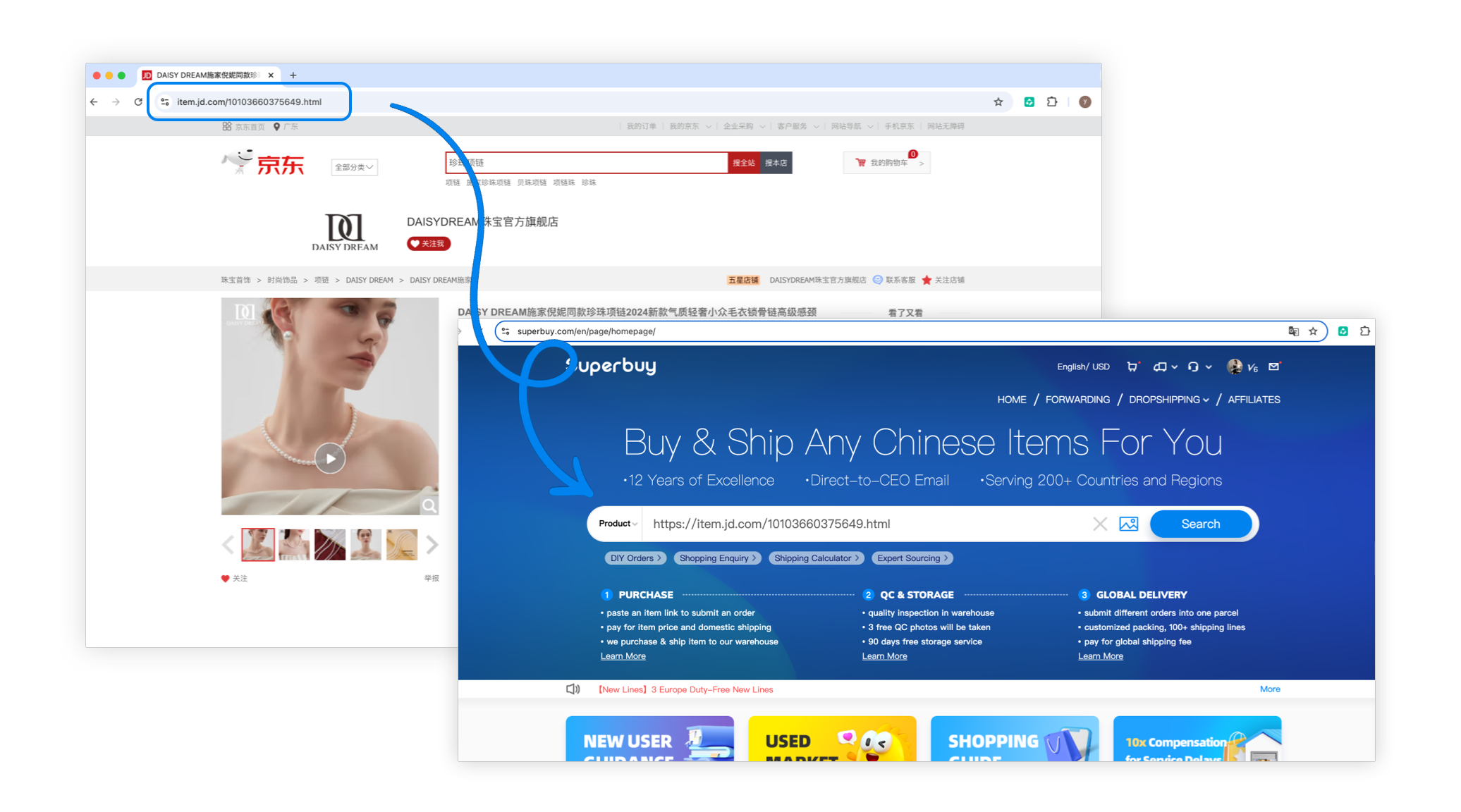
Original marketplace link being pasted into Superbuy search
Start with the seller listing. The official tutorial image is an example; its prices and promotions are historical. Open full-size image

Start with what you actually want to buy

These photographs illustrate product categories. Open the current seller listing to confirm the exact item, measurements, availability and price.

Explore all categories and how to check a listing →

What is Superbuy, and what is a spreadsheet?

The buying agent

Superbuy purchases requested items from supported Chinese marketplaces, receives them at a warehouse and arranges onward shipping. The seller supplies the product; the agent helps with purchasing, inspection and packing; the carrier delivers the parcel.

Agent services, fees and limits

The finds catalogue

A Superbuy spreadsheet organises product links and category ideas. It helps you discover and compare listings, but does not guarantee stock, seller quality, authenticity or the final delivered cost. Keep the original listing and variant details when you order.

How to use the catalogue

An order has more than one checkout

  1. Choose and purchase

    Save the original link, select the variant and pay for the product and applicable domestic charges.

  2. Check and decide

    Inspect warehouse photos, request any missing measurement and resolve a return before its deadline.

  3. Pack and deliver

    Choose an eligible line using packed figures, pay shipping and keep the tracking and delivery evidence.

Follow all nine numbered stages and the final receipt step, with official images →

Why use this guide? Know which savings apply

A VIP percentage applies to eligible shipping, not the entire shopping basket. A coupon can have a warehouse restriction, expiry and minimum spend; credits have a separate cap. Understanding the order of reductions makes the payable amount easier to check.

Our calculator shows each assumption and stops short of a final total when a discount code is unknown. Use it to plan, then compare with the actual checkout.

Calculate a shipping example · Read the discount order

Illustrated VIP growth thresholds from zero to 144000
Growth thresholds explain member levels. They are not a reason to spend more on shipping; buy for the item first. Open full-size image

Go deeper at the decision in front of you

QC and delivery

Read the photos, choose packing and keep the evidence for a parcel problem.

Member benefits

Levels, coupons and credits, with conditions separated from examples.

Help and FAQ

Clear answers about costs, confirmation and where account support belongs.