
- 1Browse
- 2Buy
- 3Warehouse
- 4Submit parcel
- 5Pay shipping
- 6Delivered
- 7Confirm Receipt
Superbuy Confirm Receipt: the click that turns shipping into growth value
What the action does, where to find it, which parcels count, and what it does not change.
What Confirm Receipt records on your account
Confirm Receipt is the status change that tells Superbuy an international parcel reached you. Help article 21 defines the resulting parcel status, Confirmed Receipt, in one short line: you have received the parcel.
Three things are attached to it. Growth value equal to the shipping you actually paid is added at once. Credits are issued at one per yuan of shipping paid. And if someone invited you through the affiliate programme, their bonus only becomes due after you pay for and confirm an international parcel.
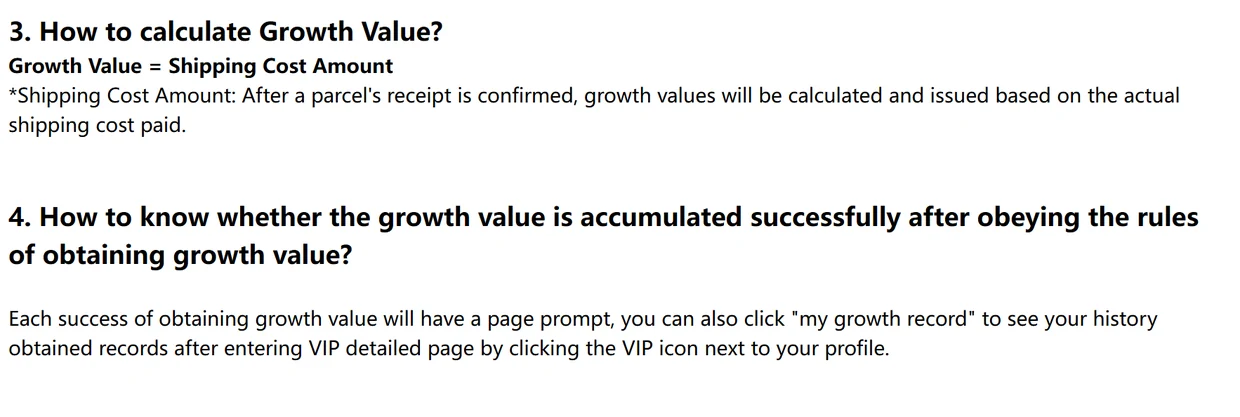
Help article 1449 adds that each successful update shows a page prompt, and the VIP detail page keeps a list called my growth record. That record is the place to check if a parcel seems to have earned nothing.
If you joined through someone's link, nothing about your own discount or credits changes.
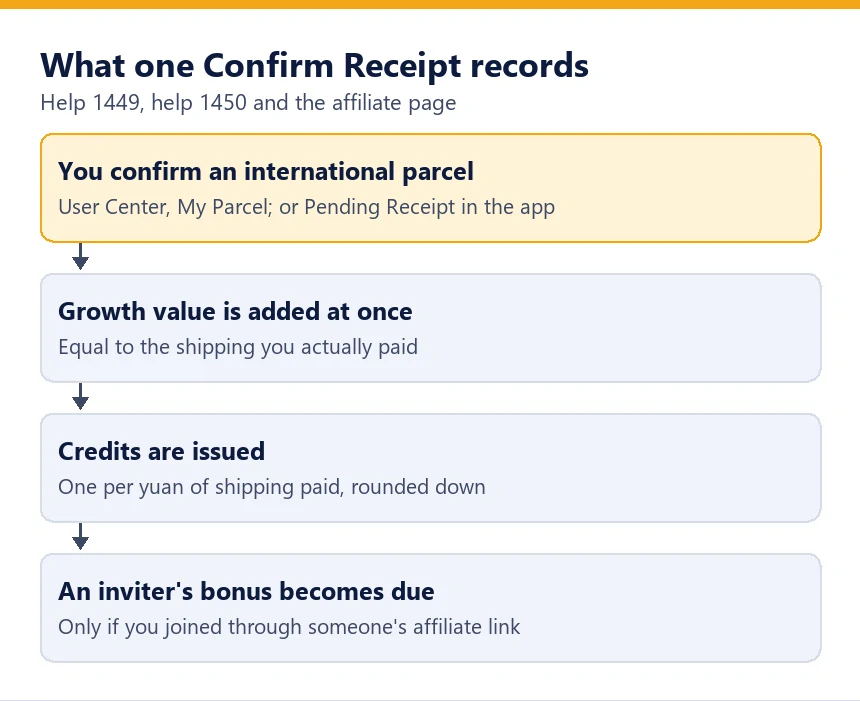
The affiliate rule matters only if you joined through someone's link, and it does not change what you pay. It does explain why referral posts ask newcomers to confirm their first parcel promptly.
Three official directions to the same button
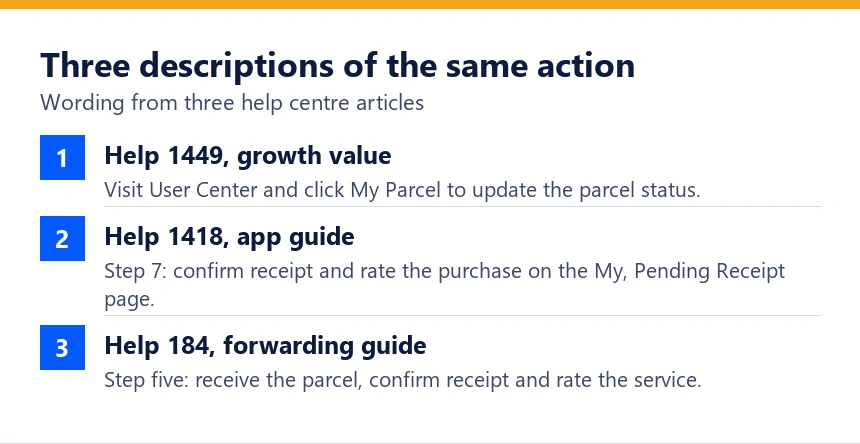
The help centre describes the action in three places and words it three ways. Article 1449 says to open User Center and click My Parcel to update the parcel status.
Article 1418, the app guide, calls it step 7: confirm receipt and rate the purchase on the My, Pending Receipt page, which ends that purchasing experience. Article 184, the forwarding guide, lists it as step five, where you confirm receipt and rate the parcel service.
They describe the same status change, reached from different screens. Whichever you use, the parcel status afterwards should read Confirmed Receipt, and the growth record should show a new entry.
Which parcels earn growth value and which stay at zero
The parcel must be international, which for this purpose includes Hong Kong, Macao and Taiwan. Parcels to addresses in mainland China earn neither growth value nor credits.
It must also reach Confirm Receipt. Article 1449 lists the parcels that never get there: returned by customs inside China, returned by customs in the destination country or region, lost, or stopped for other reasons.
Credits used on a returned parcel follow a separate rule in article 1450. If Chinese customs or the security screening sends it back, the credits return to you. If customs at the destination sends it back, they do not.
| Parcel outcome | Growth value | Credits earned | Credits you spent on it |
|---|---|---|---|
| Delivered and confirmed | Shipping actually paid | 1 per CN¥1 paid | Used |
| Delivered, never confirmed | None recorded | None recorded | Used |
| Returned by customs in China | None | None | Returned |
| Returned by destination customs | None | None | Not returned |
| Cancelled before dispatch | None | None | Returned |
The birthday month counts by submission date
A parcel submitted during your birthday month earns double growth value once you confirm it. The wording in article 1449 ties the bonus to when the parcel was submitted, not to when you click.
So a parcel you submit on the last day of your birth month and confirm three weeks later still counts double, while a parcel submitted the day before your birth month begins does not, however late you confirm it.
The birthday benefits only start once your profile carries a birthday. Article 1429 asks you to fill it in under User Center, and the gift is issued on the first day of the birth month without any claiming.
Once saved, the date stays in your profile for later years.
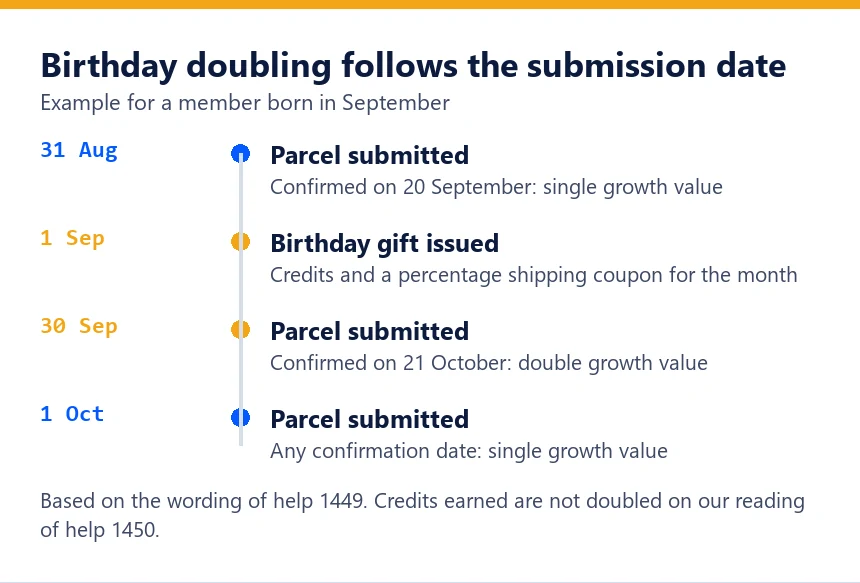
Neither article says whether the doubled figure also doubles credits. Article 1450 sets credits at one per yuan of shipping paid and mentions no birthday multiplier, so the calculator on this site doubles growth value only.
What confirming does not start or stop
Nothing in the help centre says Confirm Receipt closes a damage claim or a delay claim. The claim windows are counted from the carrier's events instead.
Article 148 refuses compensation when nobody has raised a problem within 7 days of the parcel being signed for, or within 45 days of dispatch. Article 1399 gives the Parcel Safety Protector 5 business days after signing, and the Parcel Value Preserver 30 days from the carrier's loss certificate.
Waiting to click therefore buys no extra time on a claim. Two of those windows also differ from each other for the same event, a signature at the door, and the shorter one is the one to plan around.
What to look at in the minutes before you confirm is set out on the checks and delivery page, linked below.
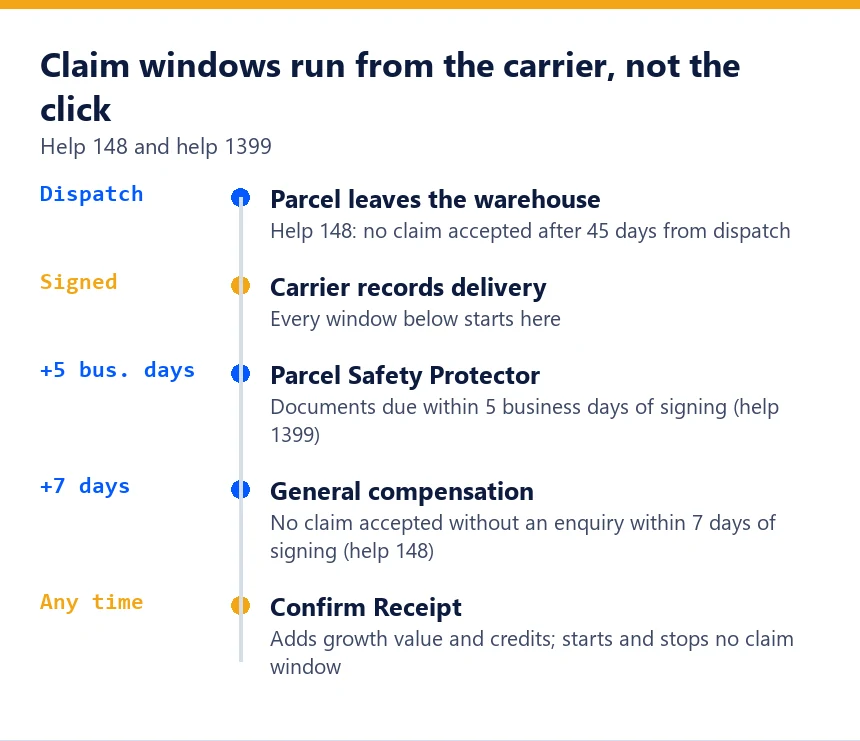
What to look at in the minutes before you confirm is on checks and delivery.
Timing the click around a level change
Upgrades are automatic. Article 1429 says the upgrade gift, credits plus a no-threshold shipping coupon valid for 180 days, is issued after each successful level upgrade and collected under User Center, Coupon and Credit.
If a parcel will carry you over a threshold, the upgrade happens the moment you confirm it. The next parcel you submit then gets the new shipping discount at checkout.
The help centre does not say which day's level decides the monthly coupon issued on the first of each month. A parcel confirmed on the 30th may or may not count toward that coupon; we have not found an official answer.

Next: what the counter is worth at each level.