
Home / Buying guide
How to buy with Superbuy: from finds to member rewards
The sequence below follows the full official guide for the Top 3 Chinese Platforms tab: nine numbered stages, then Delivered & Review. Screens show example items and historical prices. Use your current account for available options. The inspection stage has no image in that official sequence, so it remains text here.
1. Choose an item
Save the original seller link, the exact size or variant and the listing measurements. The official guide first shows copying a marketplace link, then browsing through Superbuy search. A search result is a lead to check, not proof of stock or quality.
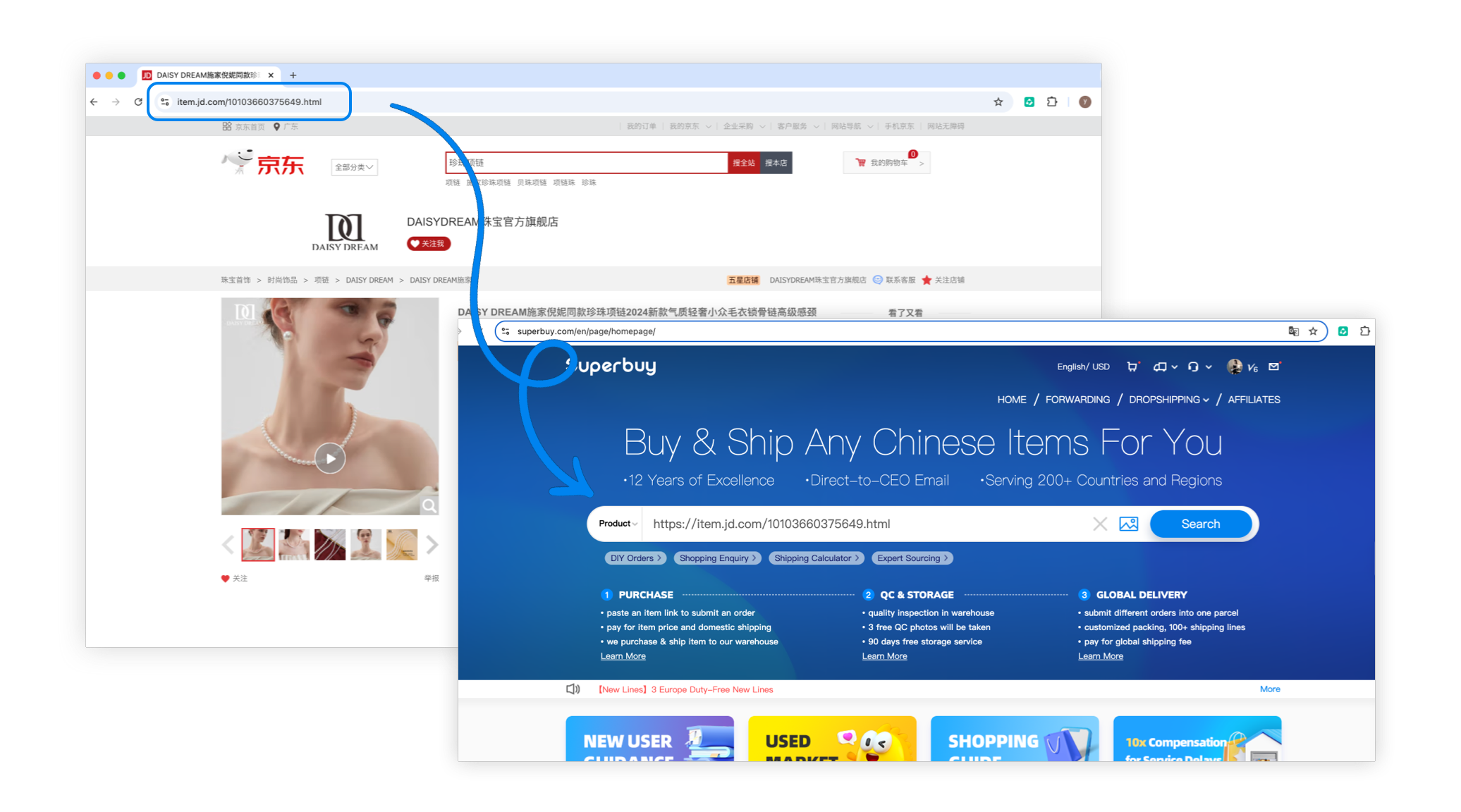
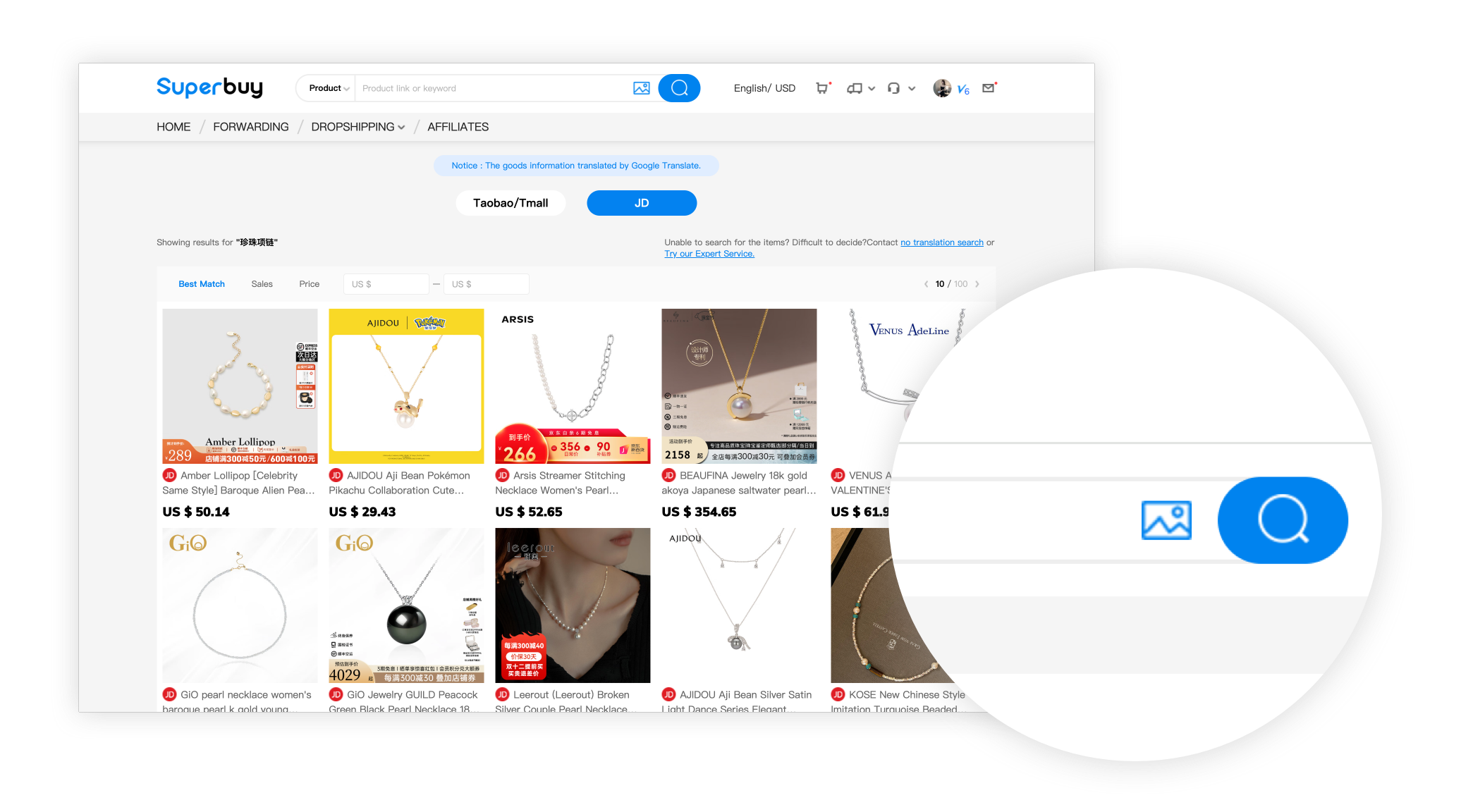
2. Submit the order request
Select colour, size and quantity on the parsed listing. If automatic parsing fails, use the manual shopping-order form and supply the original link, item price and complete requirements. A manual request still needs acceptance; it does not make every restricted product purchasable.
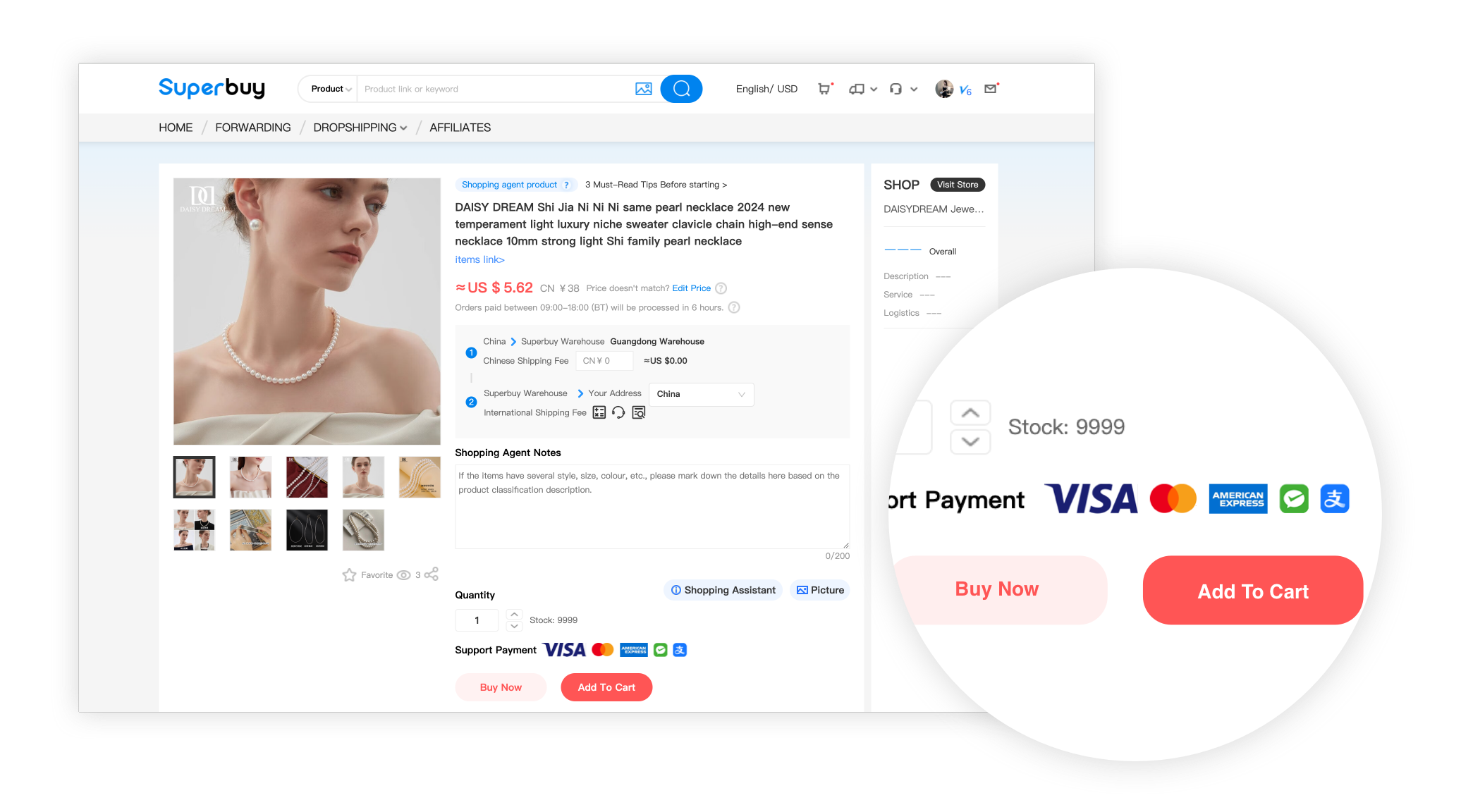
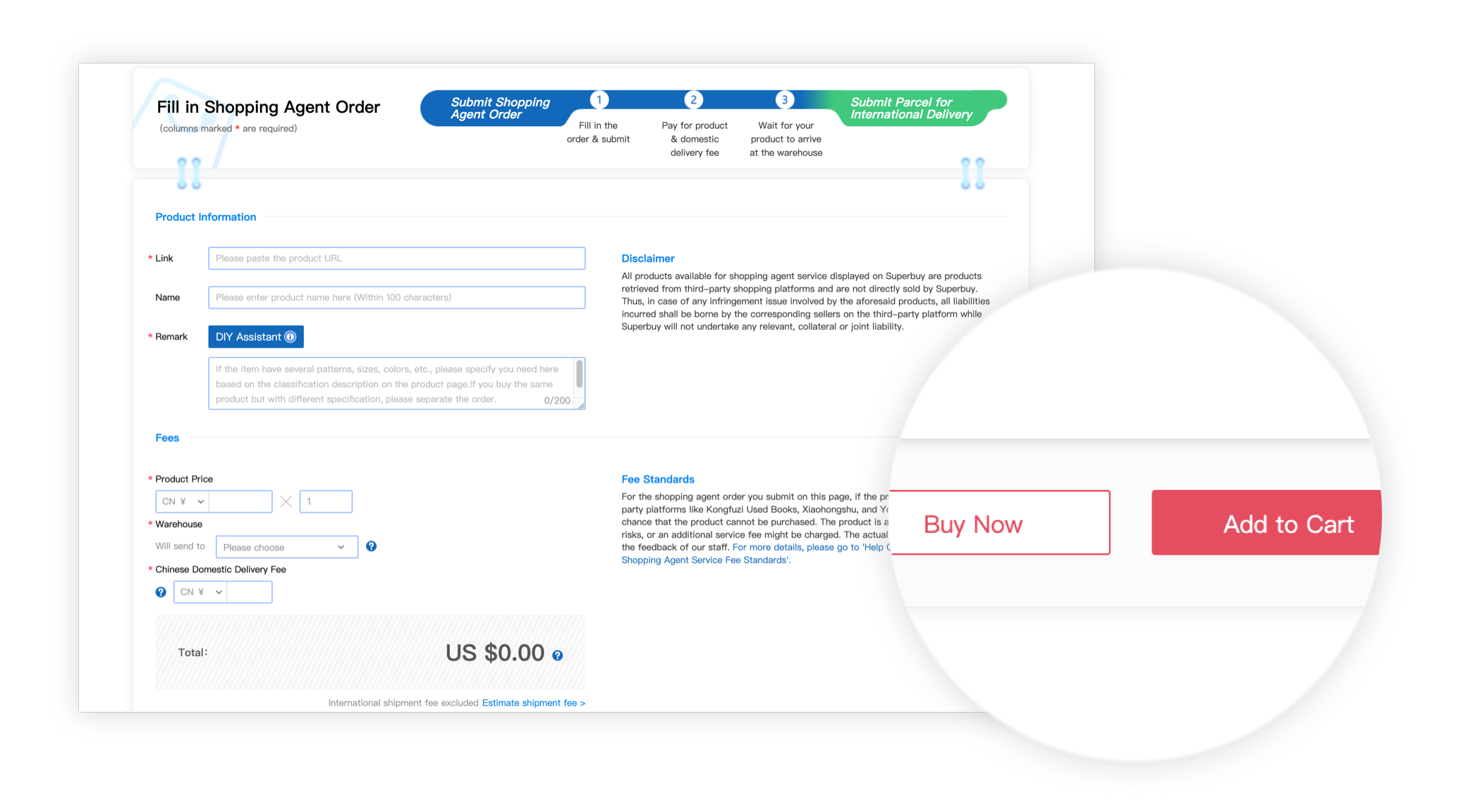
3. Pay for the items
Check the goods total, seller delivery charge and any services before submitting payment. This is the product stage of the budget. Leave room for international delivery, optional packing, payment conversion and destination charges later. Use the available methods and final amount in your own checkout.
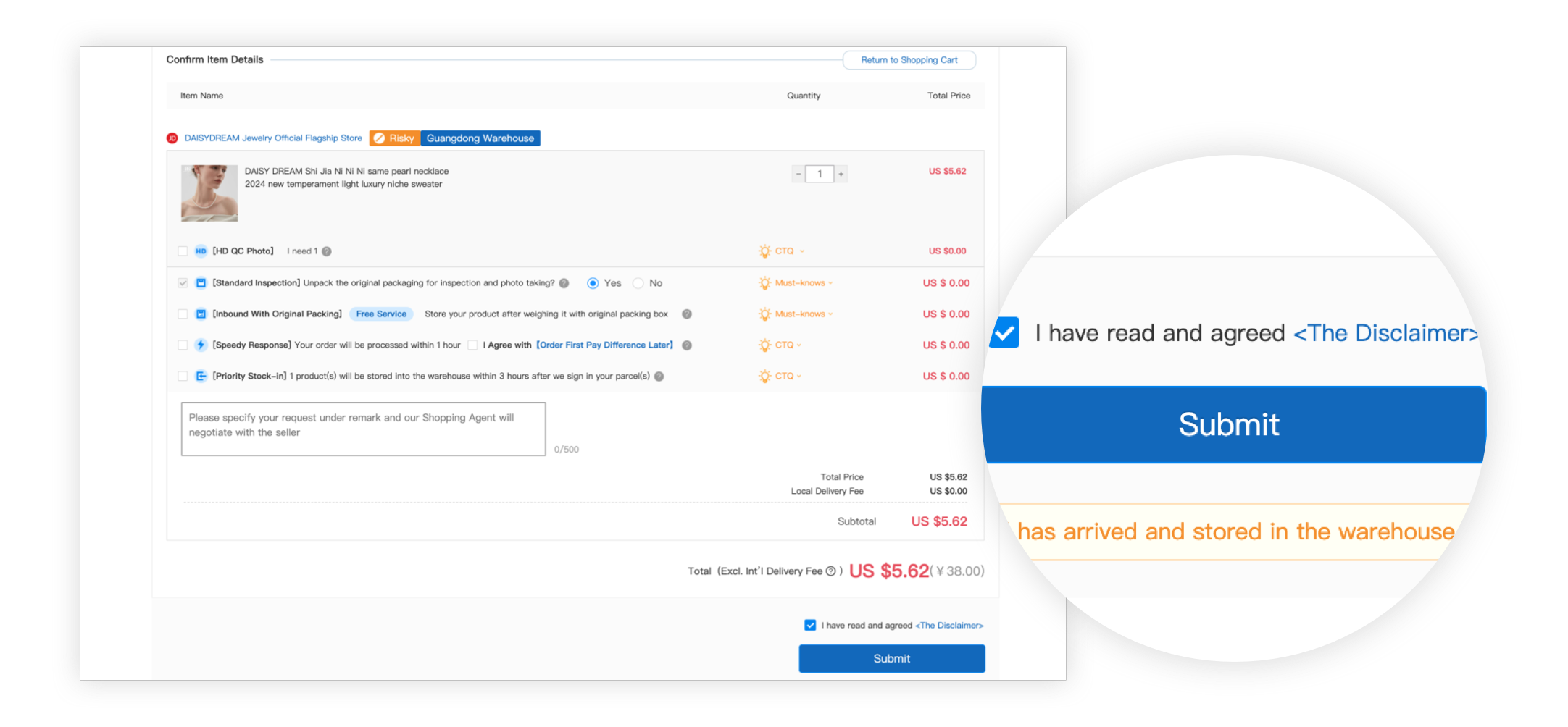
4. Let Superbuy purchase from the seller
Watch the order messages after payment. A stock problem, changed price or missing specification may need your reply. The seller then sends the goods to the selected warehouse; this domestic journey is separate from international shipping.
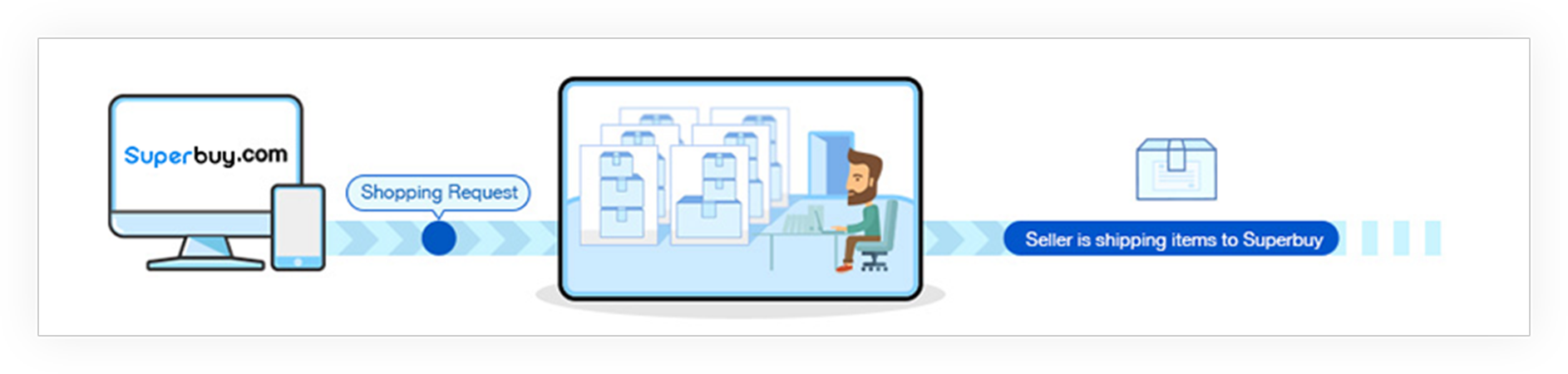
5. Inspect the item and manage storage
Open the warehouse record and compare photos with the saved listing: variant, quantity, labels and visible condition. Ask for a specific extra measurement if necessary. Standard photos are visual evidence, not authentication or a full functional test. Normal purchasing and forwarding orders and class A 1688 orders include three standard photos; class B 1688 orders are excluded. Inspect promptly while a seller return may still be possible. Normal storage starts at Arrived in Warehouse, with 90 free days, then a daily charge through day 180; abnormal parcels have a separate 60-day rule. Check the expiry shown for each item.
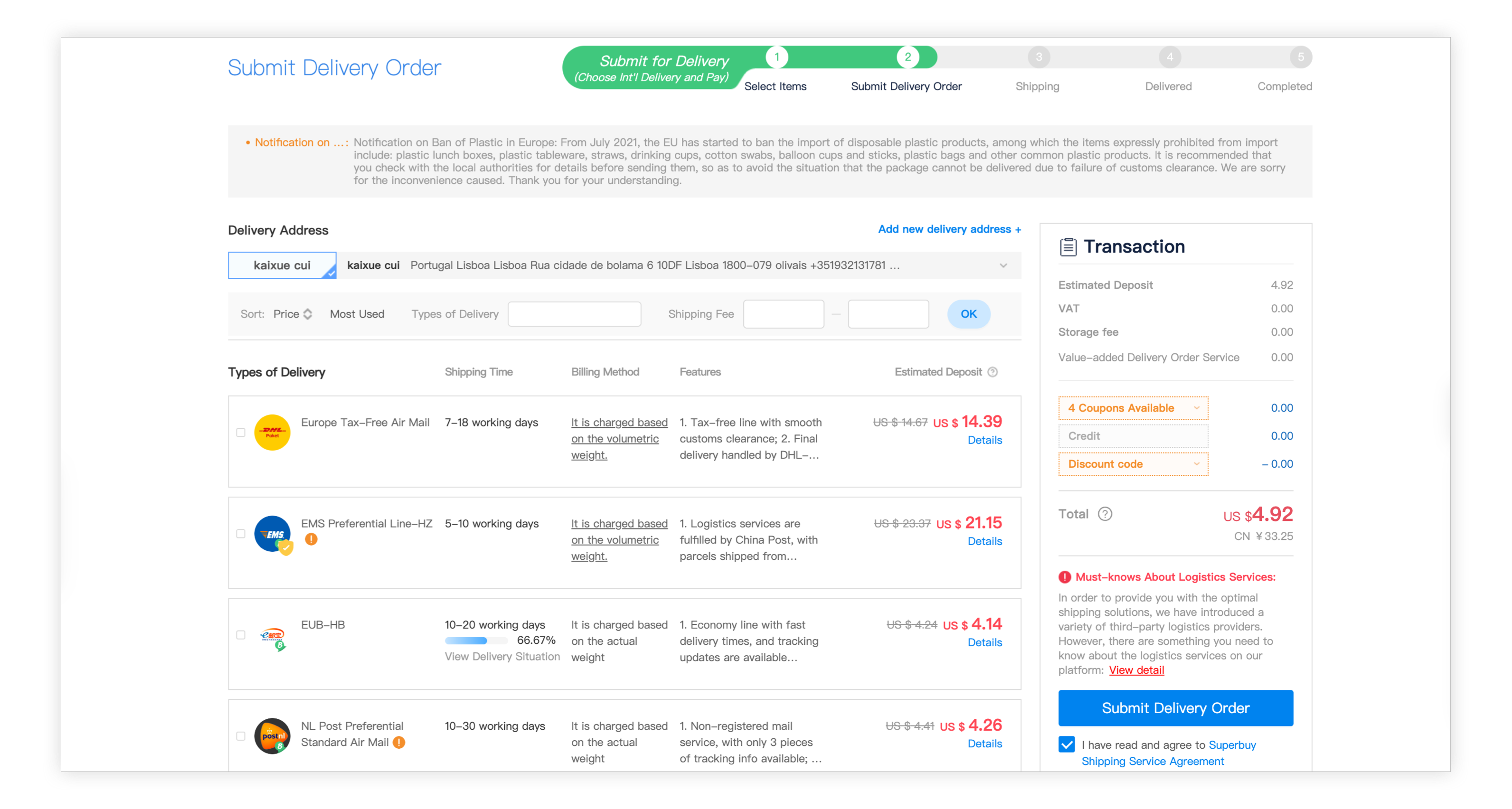
6. Submit the international parcel
Choose the stored items, complete the delivery address and compare eligible routes. Check goods restrictions, actual and volumetric weight, dimensions, compensation terms and optional services. Goods in Guangdong and Hong Kong cannot be consolidated together. Discounts and coupons belong to this parcel decision, not the original product price. Compare the shipping base before and after VIP reduction, then apply an eligible coupon and check the credits field.
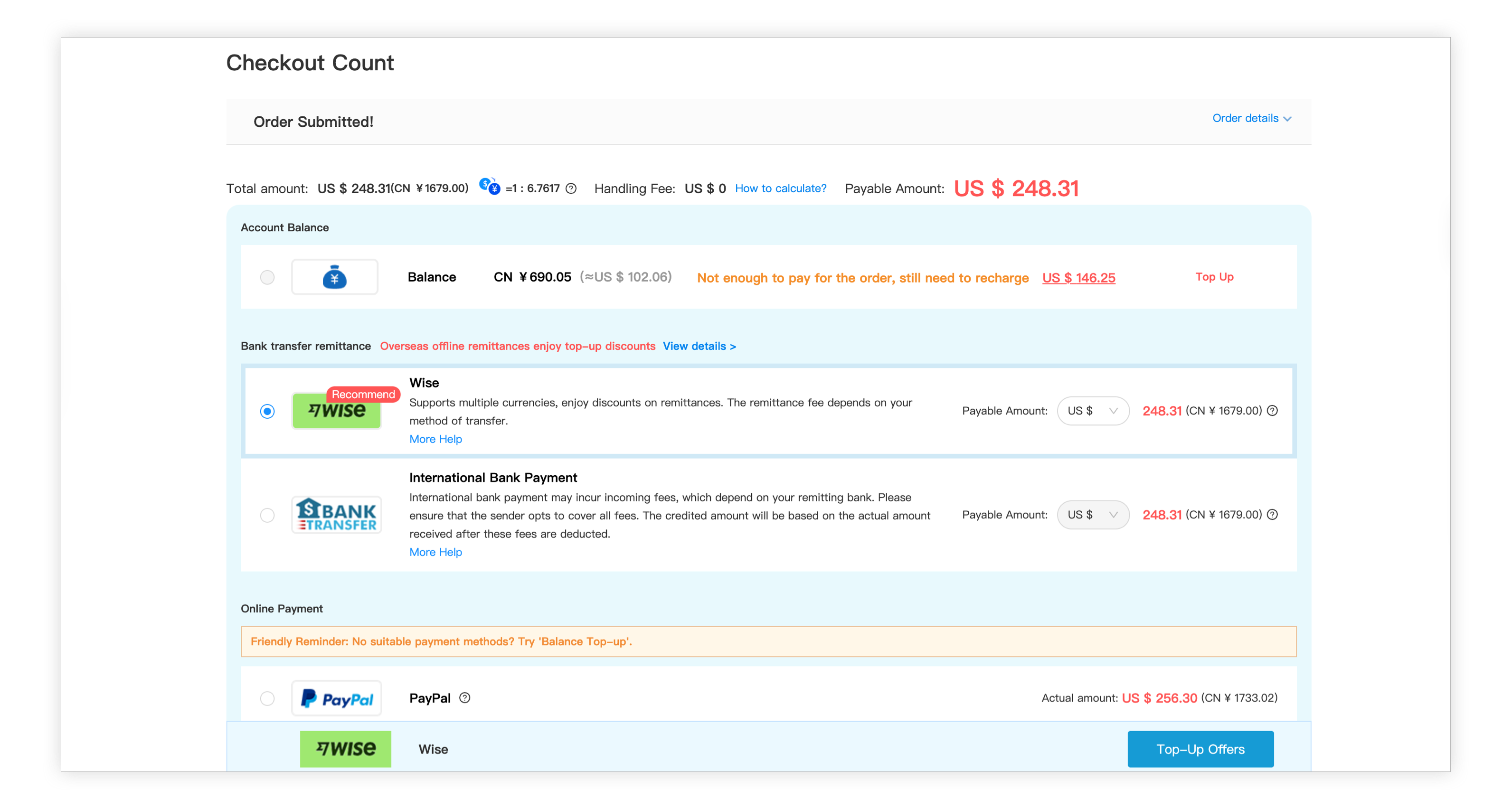
7. Pay the shipping deposit
Read the shipping amount and any customs-declaration or service charges separately. Recheck the payable total after valid discounts. The deposit can differ from the packed charge; follow the later account adjustment. A shipping estimate is not a promise of duty-free entry or a fixed delivery date.
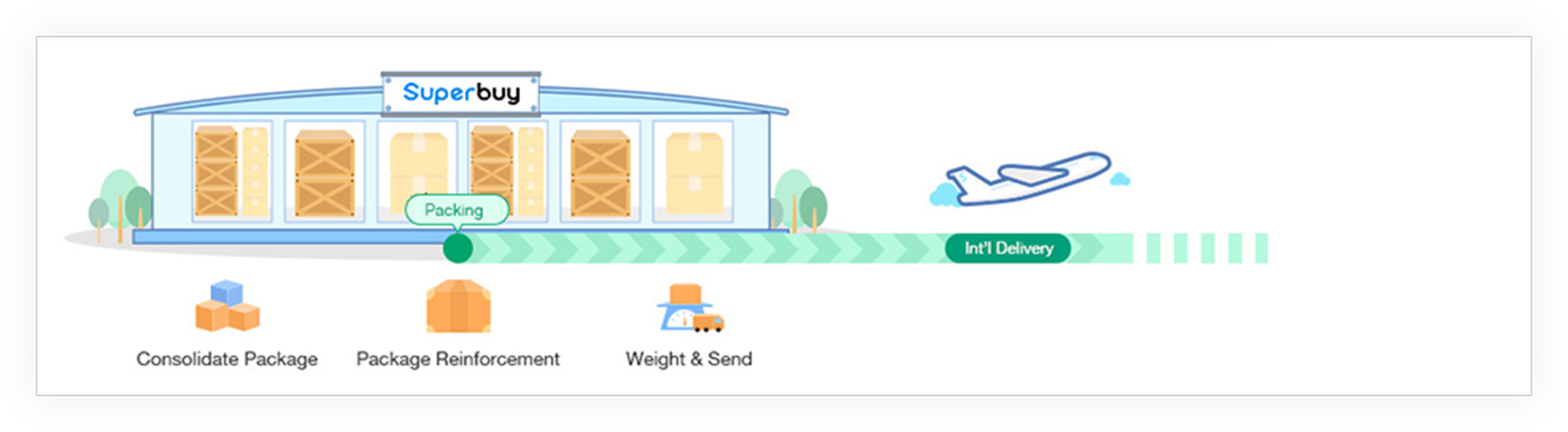
8. Packing and dispatch
The warehouse combines the selected goods as permitted, applies approved packaging and weighs the parcel for dispatch. Removing boxes may reduce size but can remove protection or affect a return. Check the requested packing before the parcel leaves.
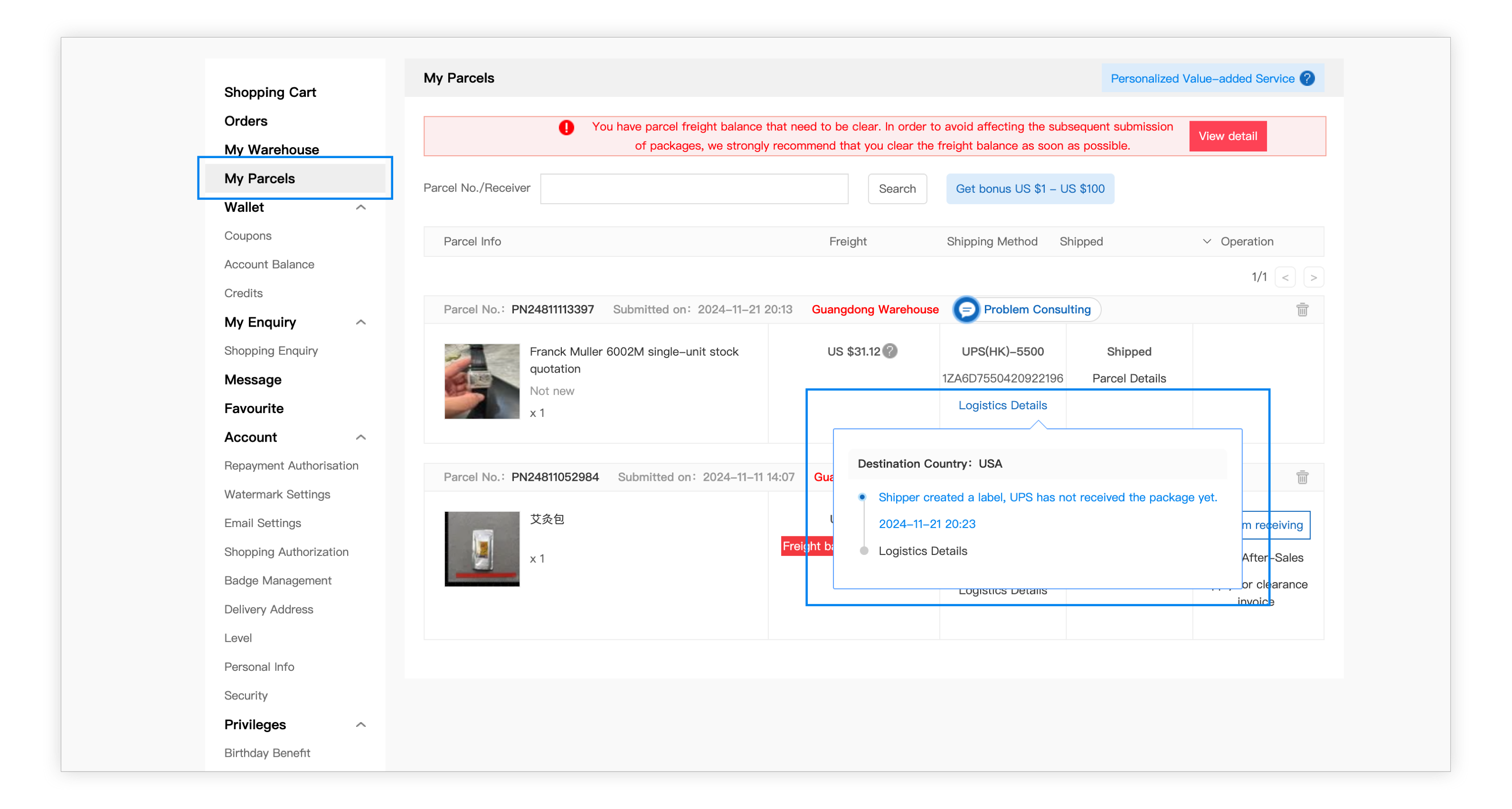
9. Track the parcel
Use My Parcels to follow the tracking record and carrier updates. Keep the parcel number, shipping option, declared contents and evidence of any delay. A gap between scans is different from a confirmed loss. Ask support what investigation or evidence is needed for the actual line.
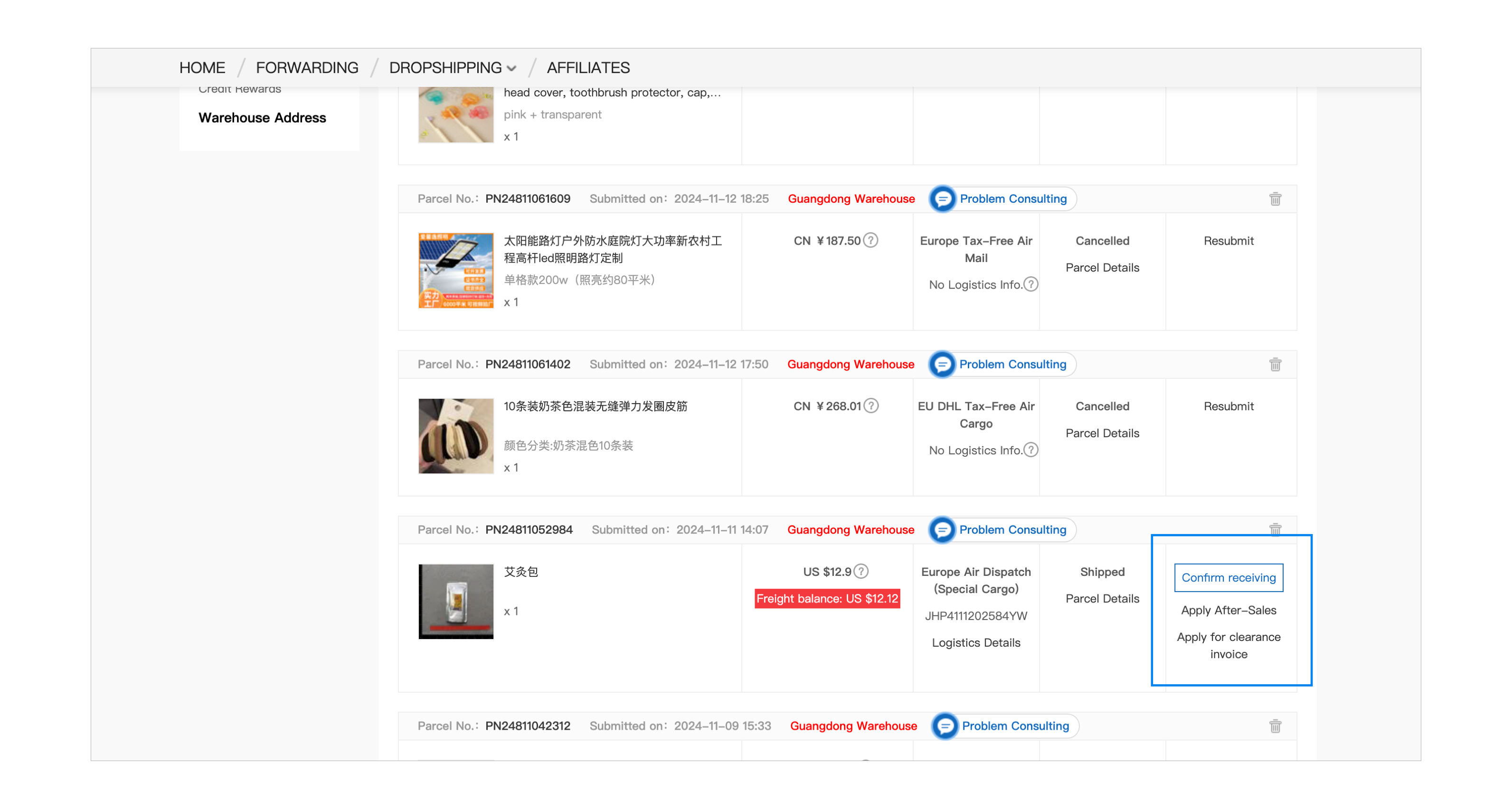
Final. Receive, check and review
Inspect the outer package and contents before discarding packaging or confirming receipt. Report damage or missing items promptly under the applicable claim rules. When delivery is correct, use Confirm Receipt and check any eligible growth value or credits in your account. Reward examples in old screenshots are not a promise of a current promotion. Growth value is tied to actual eligible shipping and receipt confirmation. Do not confirm a parcel that has not arrived simply to reach a VIP threshold.
Continue with the details that affect your parcel
Help and FAQ · Warehouse checks · Open the current official guide