
- 1Browse
- 2Buy
- 3Warehouse
- 4Submit parcel
- 5Pay shipping
- 6Delivered
- 7Confirm Receipt
Superbuy checks and delivery: warehouse photos, checkout and the doorstep
What to look at at each stage before the parcel is confirmed and its shipping turns into growth value.
The free warehouse check, and paid photos at member prices
Standard inspection is visual and depends on the order and packaging. Help 1406 includes three standard photos for normal purchasing/forwarding orders and class A 1688 orders, but excludes class B 1688 orders. The stated photo window is 24 hours after warehouse arrival; special orders can differ.
Extra detailed photos cost money, and that price is one of the few non-shipping lines the levels change. The table gives a discount on detailed photos of 2% at VIP1, rising through 4%, 6%, 10% and 15% to 20% at VIP6.
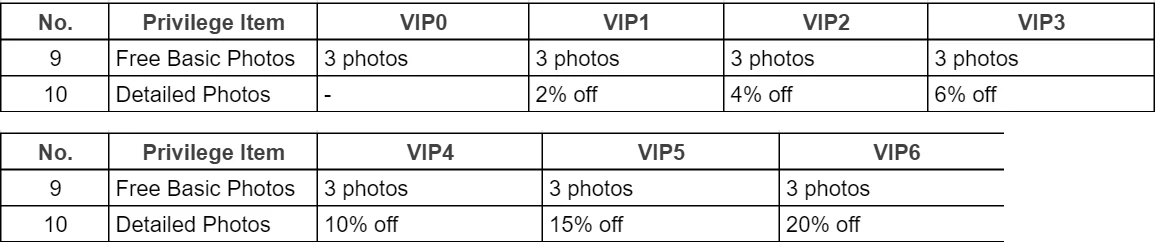
For 1688 orders the rules differ by order class; help article 1048 explains which orders get standard photos at all.
Reading warehouse photos while the goods are still in China
How to check QC photos without guessing: open them at full size, one item at a time, with the original listing beside them. Check the colour against the listing in the photo taken under the warehouse light, not the seller's studio shots.
Count pieces and accessories. Read the size label in the photo and compare it with the size you ordered. If a measurement matters, pay for a detailed photo with a tape measure rather than guessing from a flat lay.
Look for marks, loose threads, scuffs on soles and damage to boxes. Returns to the seller run on a short window, and the help centre counts it from stock-in, purchase or signature depending on the article, so read the photos the day they arrive.
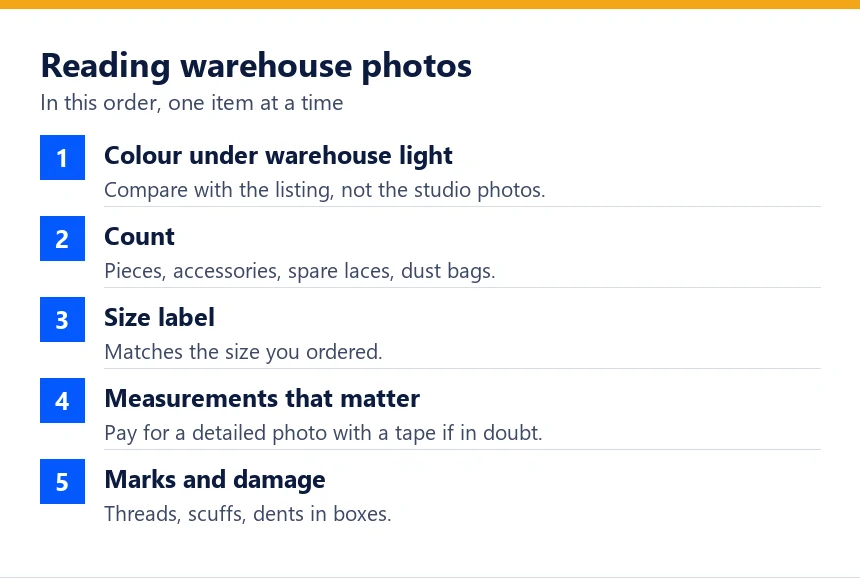
Choose the missing photo for a specific decision
Start with the stored item’s identity and count, then compare the variant label and visible condition with the order. If a garment’s fit depends on a measurement, request the relevant tape position. If a set might be incomplete, ask for all included pieces together. A paid photo is useful when it answers an unresolved question, not simply because your level makes it cheaper.
QC photographs are visual evidence, not proof of authenticity or complete function. Request an eligible return or exchange through the order before submitting an international parcel. Keep the seller’s applicable deadline separate from storage availability. Once satisfied, record the packing choices and item list; those connect the warehouse check with what you later receive at the door.
Submitting the parcel: the screen where your level applies
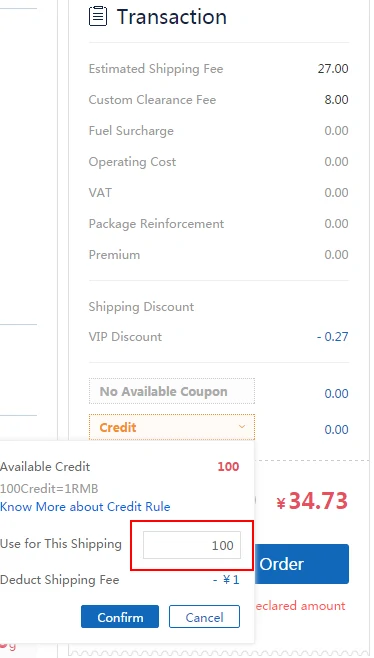
When you submit a parcel, the transaction panel lists the estimated shipping fee, the customs clearance fee and any surcharges, then a VIP Discount line, a coupon selector and a credit field.
The screenshot from article 1450 shows the pattern: a CN¥27.00 shipping fee, CN¥8.00 for clearance, minus CN¥0.27 for VIP1, and a credit box where 100 credits take off CN¥1.
Check three things before paying: that the VIP line matches your level, that the coupon you expected is the one selected, and that the credits were not trimmed by the 10% cap.
Tracking the parcel and nudging slow orders
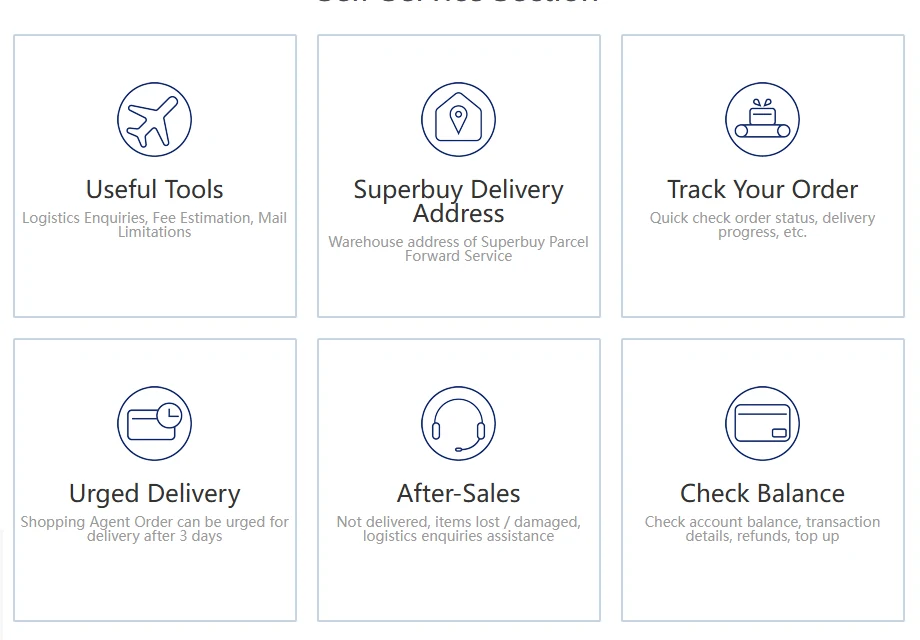
Once the parcel status reads Shipped, tracking moves to the carrier. The app shows waiting parcels under Pending Receipt. The help centre's self-service section has tiles for tracking an order and for Urged Delivery, which becomes available after three days.
Delivery time depends on the line and on customs at the destination. The member scheme does not speed parcels up; priority logistics in article 1429 refers to warehouse handling within 24 hours, not to the carrier.
At the door, before you confirm
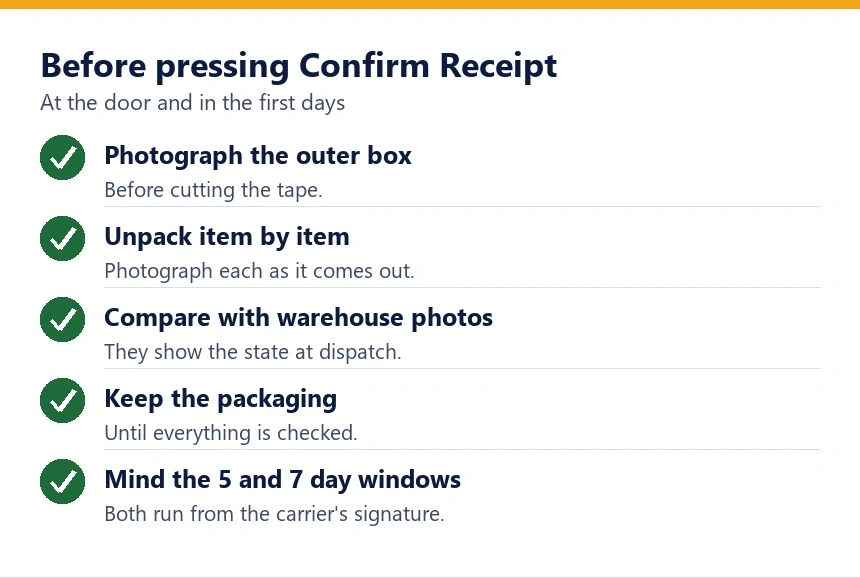
Open the parcel on the day it arrives. Photograph the outer box before cutting it, then each item as it comes out, and keep the packaging until you are sure everything is right.
Compare the contents with the warehouse photos. They document the item at the time of inspection; they do not independently prove the final packed contents or condition at dispatch.
Mind the clocks. Article 148 expects a problem to be raised within 7 days of the parcel being signed for. The Parcel Safety Protector in article 1399 wants documents within 5 business days of signing. Both run from the signature, not from your click.
Business-day and calendar-day windows can end on different dates. Report a problem promptly and verify the applicable deadline; a general guide cannot extend it.
If something is wrong with the parcel
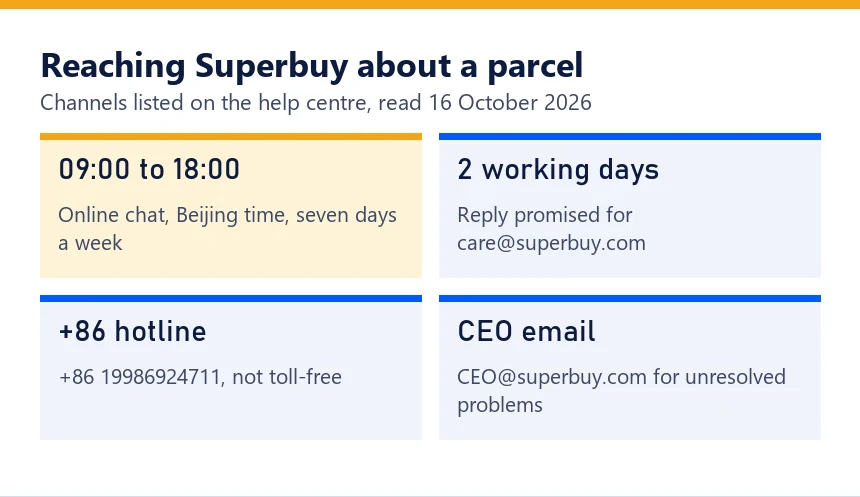
Contact customer service through online chat, open from 09:00 to 18:00 Beijing time every day, or email [email protected], where the operator promises a reply within two working days. Give the parcel number and attach your photos.
The public pages do not establish a universal rule that confirming receipt ends every claim. Report a problem promptly, keep evidence and check the specific line or cover conditions before confirming.
If the parcel is fine, confirm it. Leaving it unconfirmed protects nothing and postpones the growth value and credits.
Parcel confirmed: see what it added.